
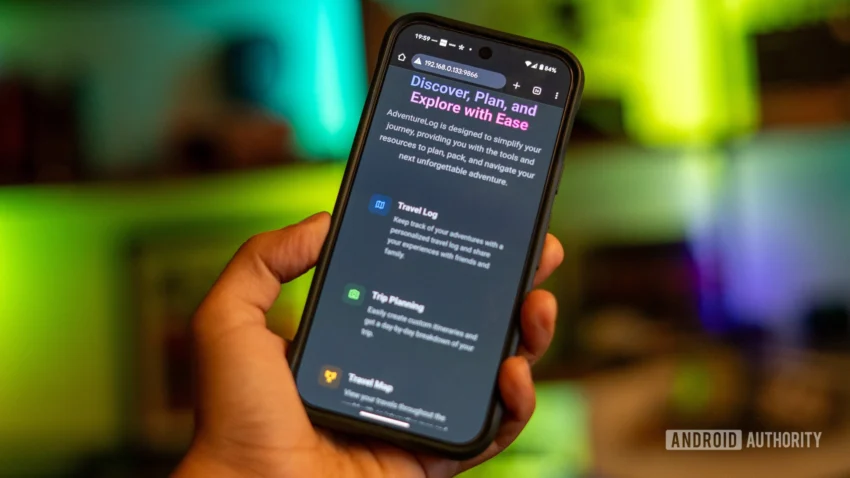
Travel has long been an integral part of my life, and throughout the years, I have turned to various travel apps for organization. However, I often found these apps presented frustrating drawbacks—ranging from incessant ads to aggressive upselling, opaque pricing, and continuous data collection. Such compromises felt inappropriate for something as personal as travel.
Earlier this year, I set out to discover alternatives that were lightweight, customizable, and most importantly, respectful of my privacy. My search led me to AdventureLog, an open-source, self-hosted travel tracker and itinerary manager. After setting it up on my Synology NAS using Docker, my approach to travel planning transformed completely.
Simplifying Travel Planning
When I first truly utilized AdventureLog, it was for a week-long trip to Prague—a city I had always wanted to explore in more depth. Rather than following pre-packaged tours or curated lists of attractions, I preferred a dynamic itinerary. I created a trip in AdventureLog, outlining essential information, such as my Airbnb address and arrival times, alongside various bookmarks of places I wanted to discover—including a secret café, a record store, and a hidden speakeasy. What struck me was how AdventureLog stayed unobtrusive; it didn’t bombard me with suggestions or ads. It simply provided a streamlined interface.
AdventureLog doubles as a travel journal, allowing me to log experiences in real-time. Each entry captures the essence of the day, from enjoying cinnamon buns for breakfast to an unexpected visit to the Klementinum library. This function elevated my travel experience, making the app not only a planner but also a tool I engage with multiple times weekly, enriching my travels while creating lasting records.
Everything in One Place
AdventureLog is deceptively simple, designed with modern frameworks that ensure fast performance even on minimal hardware. Its responsive interface mirrors that of a native app, whether I access it on a laptop or my phone.
As I navigated through my trips, I appreciated how each journey became a dedicated timeline. I could name each trip, add cover images, and construct daily logs, utilizing Markdown for easy note structuring. This cohesive design allowed me to categorize entries without the complications of complex databases, making it user-friendly.
Unlike previous apps where my itineraries were scattered across disparate platforms, AdventureLog organized everything neatly in one location. I could explore months of travels and easily revisit past trips, creating an ongoing personal archive rather than a simple planner.
Moreover, by self-hosting, I ensured that my data remained private, with no tracking or cloud syncing. I have limited access by default to my home network but configured remote access for travel convenience.
A Seamless Installation Experience
Installing AdventureLog was notably straightforward. I employed Docker on my Synology NAS, but it can also function effectively on a Raspberry Pi or a home server. The comprehensive documentation facilitated a smooth setup process, allowing me to get the app running effortlessly on my local network, from account creation to trip organization without needing external dependencies.
Although there’s no dedicated mobile app, the responsive design translates well across devices, and I quickly added it to my home screen for easy access. For traveling, I utilize services like Tailscale or set up a reverse proxy for access.
Rediscovering Travel Joy
The underlying issue with many travel apps is their focus on monetization rather than fulfilling real travel needs. These apps often prioritize sales—be it accommodation, tours, or personal data. AdventureLog, however, cuts through this noise, providing a clutter-free space without ads or forced upgrades. This simplicity and functionality greatly enhance my travel planning experience, making it a more valuable tool than most commercial alternatives.
For anyone looking to manage their travel without the distractions and compromises of traditional apps, AdventureLog is truly a refreshing solution.
AdventureLog
Open Source Apps
Synology NAS
Raspberry Pi
Tailscale